ae44 App Download: Bet on Your Phone, Cash Out on Your Phone
The ae44 App is an APK file that installs straight onto an Android phone. Download it once and a tap on the icon brings your balance, bKash deposits, withdrawal requests and live casino tables together in your hand. No app store needed.
18+ · Responsible gamingDownload the file and install it on your phone
Tap the button below and your browser starts downloading the ae44.apk file. It is 41 megabytes, so even on a slow connection it takes two or three minutes. Before it starts, allow installs from unknown sources in your phone settings; otherwise the file will download but won't install.
ae44.apk · 41 MB · Version 3.2.2
You only download the file once. New here? Open an account first, then log in to the app.
| Version | 3.2.2 |
|---|---|
| File name | ae44.apk |
| File size | 41 MB |
| Minimum Android | 6.0 |
| Last updated | 19 November 2026 |
| Cost | Free, no charges at all |
| Language | Bangla & English |
| Download source | ae44.vin only |
Add a shortcut to your iPhone home screen
There is no separate APK for iOS, so on iPhone we suggest the home screen shortcut route. You get in from an icon just like an app, and you don't have to type the address every time.
- 1Open ae44.vin in Safari on your iPhone. You may not find this option in Chrome or other browsers.
- 2Tap the share icon at the bottom of the screen (the square with an arrow pointing up).
- 3Scroll the menu and choose Add to Home Screen.
- 4Type ae44 in the name field and tap Add. The icon lands on your home screen.
- 5Tap the icon and the site opens; if your password is saved, you won't have to type it again.
What you'll find inside the app

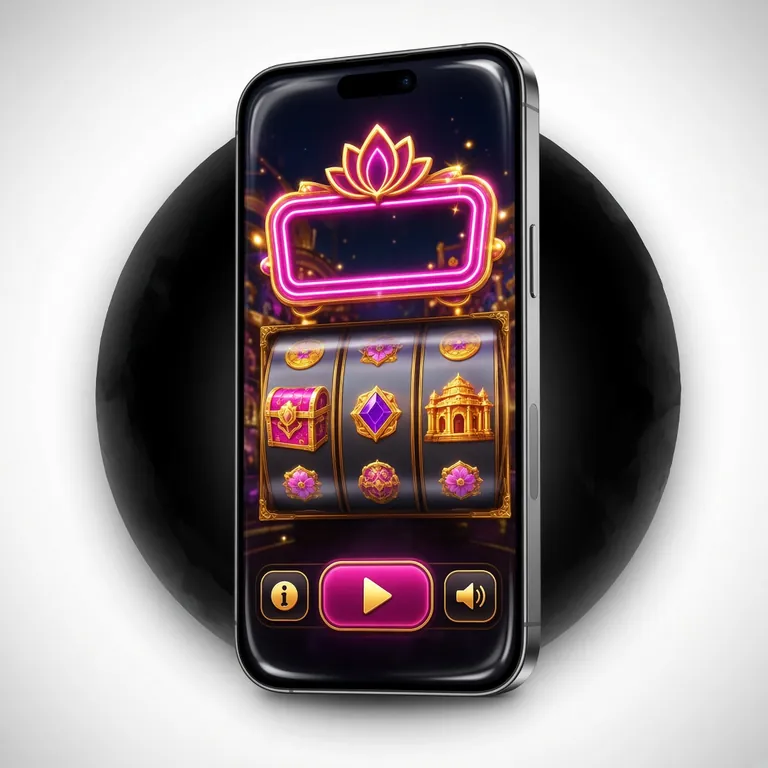
- Notification bell on the top bar, deposits and withdrawals plus account settings on the bottom menu, all in one place.
- Tap a game thumbnail and you land straight at the real table, no searching required.
- Scan the QR code beside it and the download link goes straight to your phone.
- Bangla interface comes by default; switch to English from settings if you prefer.
What gets easier once you have the ae44 App
The app isn't only about opening fast. With it on your phone, balance, bet history and news of new offers all sit in one place, so you don't have to switch tabs mid-match. These are the six things users notice most.

-
Log in once, then just your PIN
Your login details stay saved on the phone, so you don't type the password each time. If you lose the phone, change the password on the website — the old session is cancelled right then.
-
Deposit and withdraw inside the app
bKash, Nagad, Rocket, Upay and bank transfer — every method is built in. A deposit takes about 1 minute, a withdrawal usually 14 minutes. Minimum deposit ৳100, withdrawal ৳700.
-
Casino and football on one screen
More than 1300 games, with tables from JILI, Evolution, PG Soft and Red Tiger. Live football markets sit in the same place. You can open the casino games straight from the app.
-
The news before kick-off
Push notifications tell you about new offers and when a match is starting. If they get annoying, switch off just the app's notifications in your phone settings — nothing in your account changes.
-
Bets and balance, all counted
Which bet you placed and when, how much came back, how much cashback has built up — the whole history stays in the app. No notebook to fill in at month end.
-
Updates in a small file
The app tells you itself when a new version is out. The file is 41 MB, so updates don't burn much data either. It still works on a slow connection.
Browser or app: which will you keep
Both run on the same account — balance and bet history stay identical. The difference is in how you open it and what conveniences you get. Look at the comparison below and pick to suit how you play.
| Feature | ae44 App | Browser version |
|---|---|---|
| Opening speed | Tap the icon, straight to the home screen | Type the address and wait, every time |
| Data use | Images and scripts live on the phone, so less data | The whole page loads each time |
| Notifications | New offers and match news come as push | You have to go in and check separately |
| Install | APK, needs 41 MB of space | Nothing to install |
| Updates | You install the APK again with each new version | New versions arrive on their own |
| Phone space | Takes up a little room | Takes up no room at all |
| Good for | People who open it a few times a day | People who drop in now and then |
Which permissions the app asks for, and why
Before installing an APK, your phone usually shows a few permission prompts. Knowing up front why each one is needed and what happens if you say no saves the second-guessing later.
| Permission | Why it's needed | If you decline |
|---|---|---|
| Files & storage | Installing the APK and putting on new versions | Install or update won't complete |
| Internet | Login, balance, bets — everything runs on it | The app won't open |
| Notifications | Sending news of new offers and match start times | You'll miss offers; you can keep it off in settings if you want |
| Camera | Taking a photo of your document and sending it before the first withdrawal | A photo from your gallery works too |
| Location | Not asked for anywhere | No effect at all |
What to do when the install gets stuck
Most of the time the problem is a phone setting or an incomplete download, not the file. Match your issue against the list below — most are fixed in two minutes.
| What you're seeing | Likely cause | Fix |
|---|---|---|
| Install blocked / "Install blocked" | Installing from unknown sources is turned off | Go to Settings → Security → Install unknown apps and tap Allow next to the browser you used to download the file |
| Parse package error | Download is incomplete, or your Android is below 6.0 | Delete the old file and download again; check your Android version in Settings → About phone |
| No storage | Phone is low on space | Free up at least ১০০ MB — clearing out unused videos or old apps is enough |
| It installs but won't open | Cache from an older version is still sitting there | Uninstall the app and put ৩.২.২ on fresh, then restart your phone once |
| Notifications aren't coming through | Battery saver is putting the app to sleep | Go to Settings → Battery → Unrestricted for the app, and keep notifications switched on |
| Can't get into the login | Wrong password or an old session | Reset your password and try again; the steps are laid out on the login page |
How to install the APK on an Android phone
Any phone running Android ৬.০ or above will do. These four steps are a one-time job; after that you only reinstall when a new version comes out.
-
1
Enable the permission
Go to Settings → Security → Install unknown apps and set Allow next to whichever browser you'll download the file with.
-
2
Download the file
Tap the download button above. Once the ৪১ MB file finishes, open it from the notification bar or look for ae44.apk in the Files app.
-
3
Tap Install
Opening the file brings up the Install button. It's done in ২০-৩০ seconds. If Play Protect warns you, choose Install anyway.
-
4
Log in
Open the app and sign in to your existing account; if you're new, register first. Then leave notifications switched on.
Questions that keep coming back
Is it safe to install the ae44 APK?
The file comes from our own servers, not a version swapped out by a third party. Before installing, you can check in your phone's settings that it was downloaded from ae44.vin. Don't install an APK handed round on another site, a Facebook group or a Telegram channel. If something feels off, delete the file and come back to this page to download it again.
How do I update when a new version arrives?
When a new version is out, the app notifies you itself. Come to this page, download the new APK and install it straight over the old one — your account and balance won't be wiped. If your phone is short on space, uninstall the old app first and then put the new one on. One login after installing and you're set.
How long does a deposit take in the app?
Money sent through bKash, Nagad, Rocket or Upay usually hits your balance within ১ minute. Bank transfers can take a little longer. The minimum deposit is ৳১০০. Withdrawals normally reach you in about ১৪ minutes; the first one takes a bit longer while the account is checked.
How much space does the app take, and which Android do I need?
The APK is ৪১ MB and grows slightly after installing. It runs on any Android ৬.০ or above, with no extra settings to change. Leaving around ১০০ MB free on the phone keeps both the install and updates smooth, and the app won't crawl on an older handset.
Does uninstalling the app delete my account?
No. The app is just a window on your phone; your account and balance sit on our servers. Install it again, log in with the same details and your balance, bet history and bonuses are all back. Only the login saved on the phone is cleared, so keep your password in mind.
Is there a separate app for iPhone?
There's no separate iOS file yet. Open the site in Safari and tap Add to Home Screen — the icon lands on your home screen and opens like an app when you tap it. If your password is saved in iCloud, logging in is quicker too. Notifications, though, won't arrive the way they do in the app.
All installed? Now have a look at your first deposit
Make your first deposit on the ae44 App and you get a ২১০% bonus, up to ৳২৫,৫০০. The rule is simple — wager ৭ times the bonus amount before you can withdraw it. The bonus page shows worked examples of how much you get for each deposit size.